# Welcome!

... and thanks for helping us find faint signals in images from the Rubin Observatory. It is a great telescope, but finding faint signals is always hard. This is especially true if the object is located in a bright host galaxy.

Why is that the case? Think of trying to spot a dim light bulb. It’s much easier to do that in a dark room than in a room with all the lights on. Likewise, it is easier to hear crickets in a quiet field than at a noisy concert. The signal is still there, but it takes more effort to find it.

Note that you do not need any prior experience to participate in this project. Just complete the rest of this tutorial and take your best guess.

# So, what are we looking at?
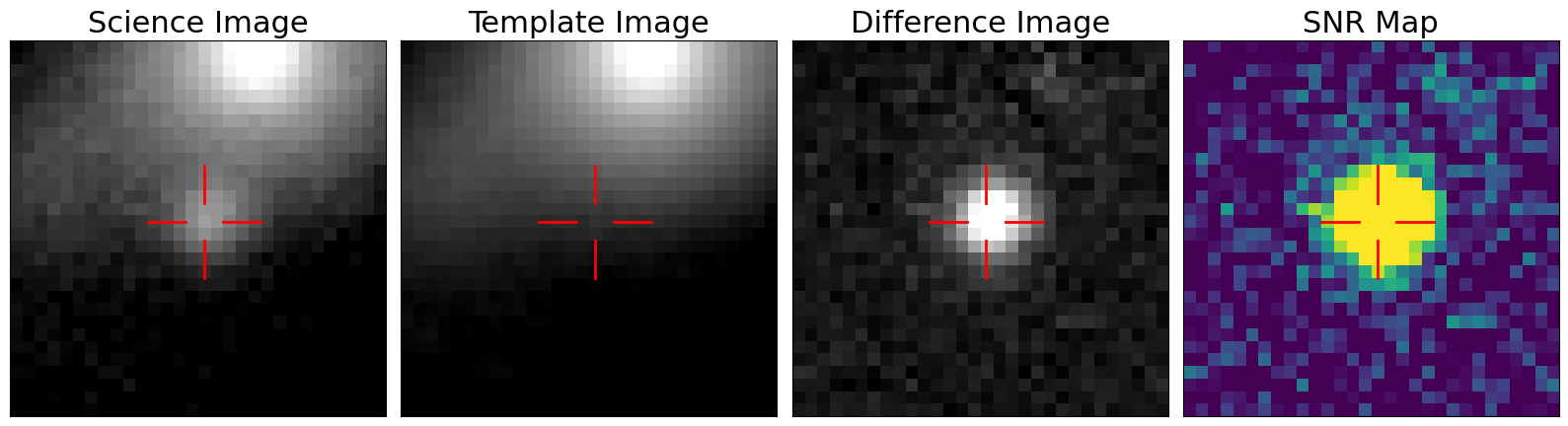
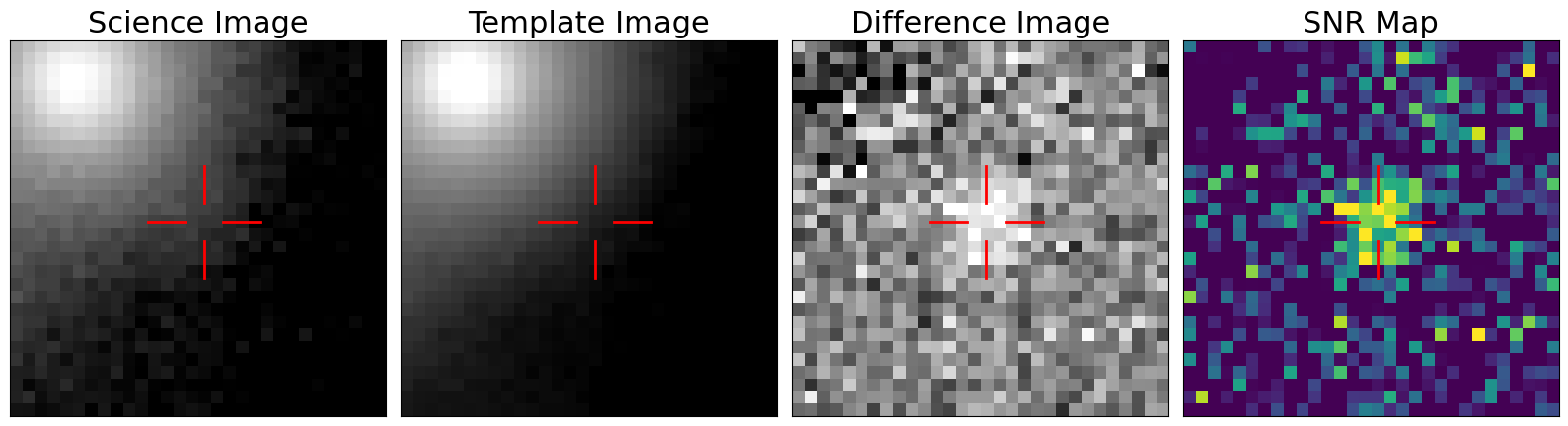
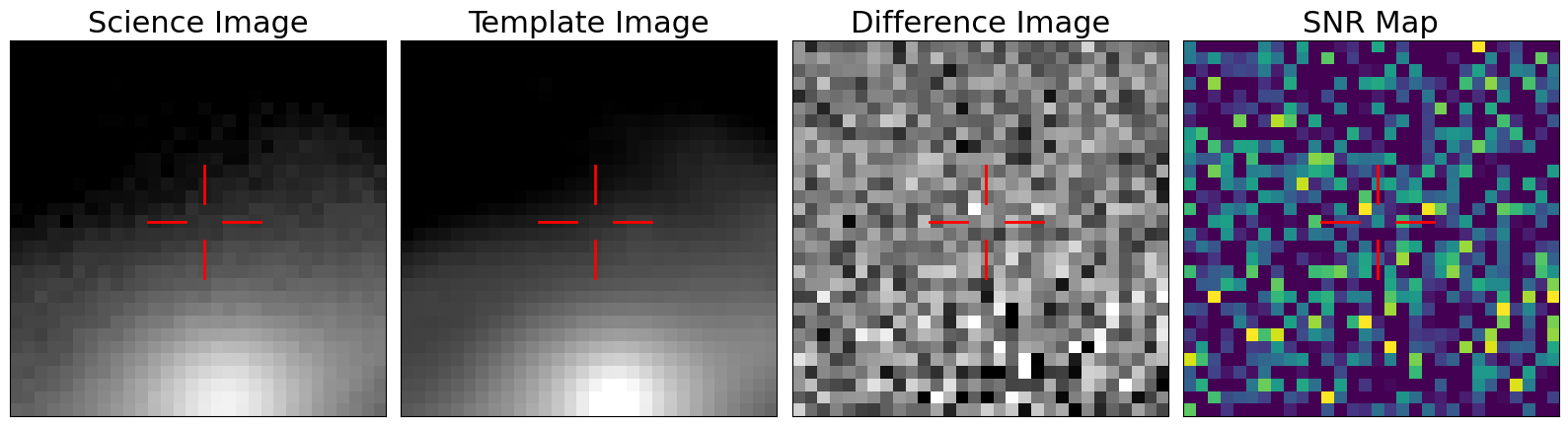
You will be shown four images in this project. In the image above, the leftmost panel shows the **science image**. This is a new image that was recently observed by the Rubin Observatory. You can usually find part of a galaxy in this image, in this case in the top of the image. We are trying to find new signals in this image at the location of the red cross.

The second panel shows the **template image**. This is an image of the same region in the sky, taken a while ago. This image represents what the sky *should* look like.

The third panel shows the **difference image**. This image effectively shows the difference between the science and template images. Any signal in the science image that was not present in the template image should be visible here. In this case, you can see a clear dot in the centre. That is a new signal that was present in the science image, but not the template image. Exciting! Perhaps you can even see it in the science image.

The rightmost panel shows the **SNR map**, which is created by measuring [the signal-to-noise ratio](https://en.wikipedia.org/wiki/Signal-to-noise_ratio) (SNR) on the difference image. This map tries to quantify how significant the changes are. Here, yellow regions correspond to parts of the image that have changed the most, whereas dark blue means no change.

# Real Detections

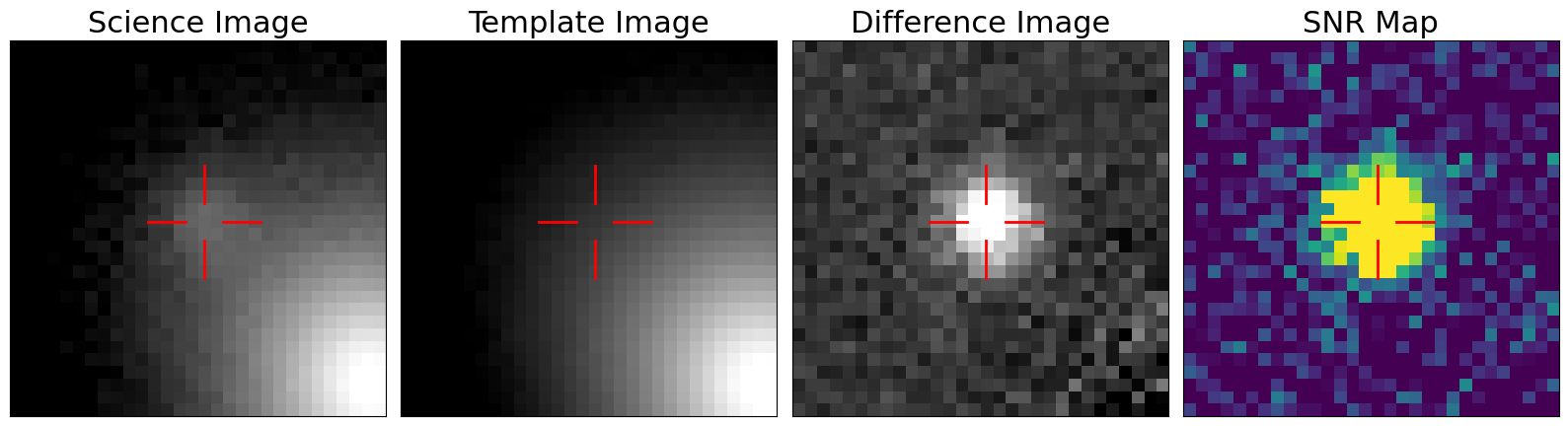
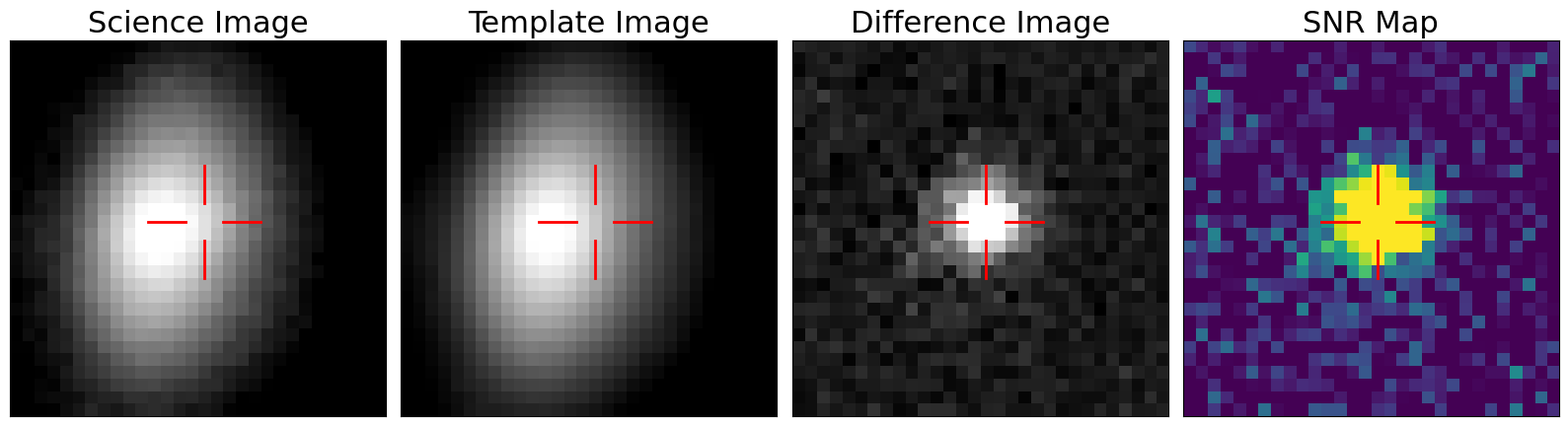
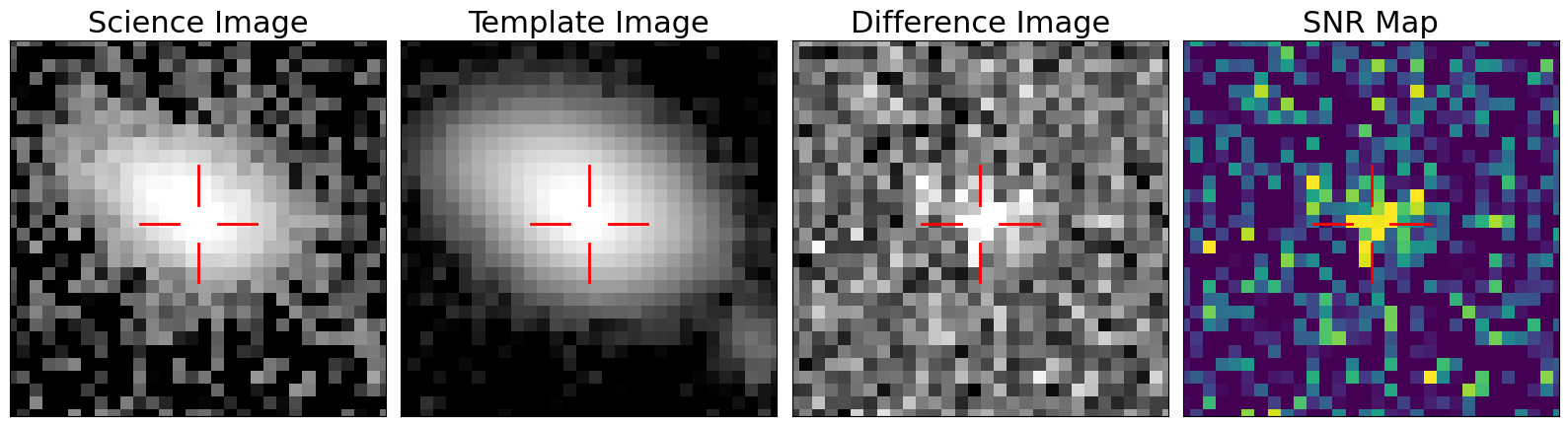
Below are some more examples where the telescope correctly identified new signals. We can see that the difference image is mostly empty, except for a circular region around the area of interest, indicated by the red cross. The SNR map shows a yellow circle in the same region. In these examples, these yellow circles represent real changes in the night sky at those locations.
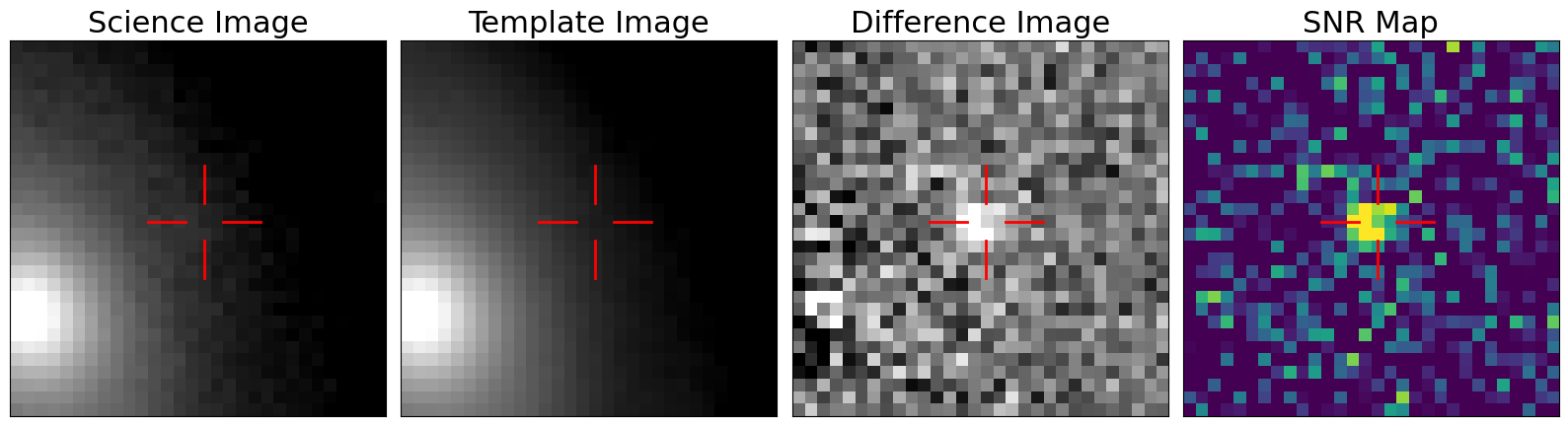
However, these new signals are not always super obvious. Note that the size of the yellow circle in the SNR map can also vary substantially. Here are a few more examples of real detections that are a bit harder to spot:
# Artefacts (or "fake" detections)

In practice, the process described in the previous tabs is difficult to automate. This is especially the case when the target is located in a bright background galaxy. In this tab, we show a few examples of when this process failed. Typically, a region was identified as a detection (colored yellow in the SNR map), but after visual inspection, it becomes clear that something went wrong. In other words, they are artefacts.

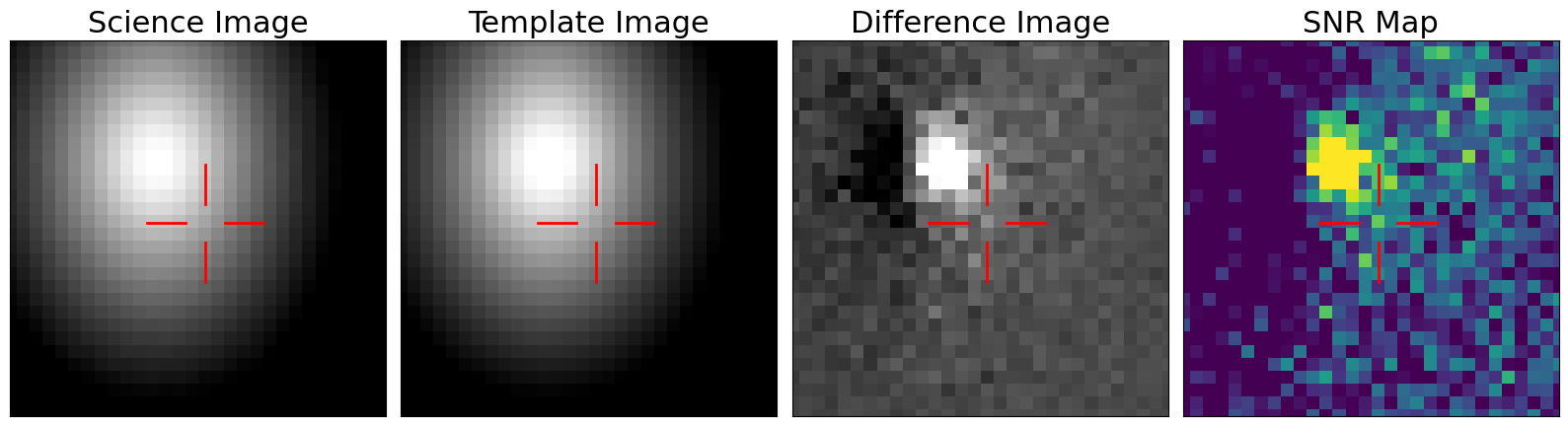
For example, nearby bright galaxies often cause detections (yellow regions in the SNR map) that are off-centre from the region we are interested in, and should therefore be classified as an artefact. For example:
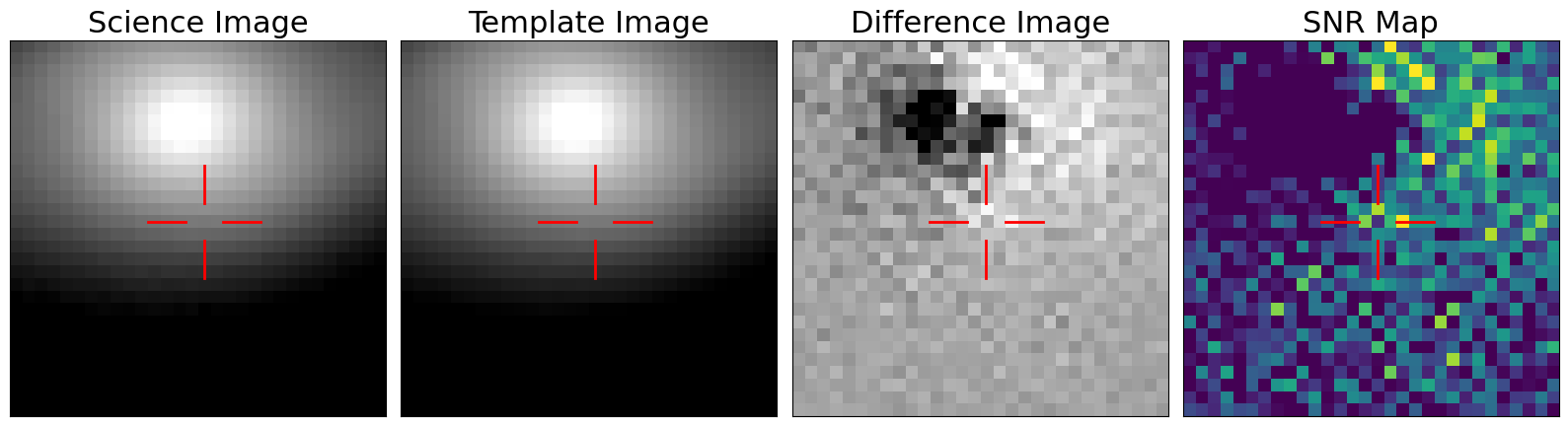
A related artefact that often happens near bright host galaxies are large dark regions in the difference image. For example:
However, there are many more different ways this process can go wrong and lead to artefacts. For example, the SNR map can also appear mostly empty or look like random noise:
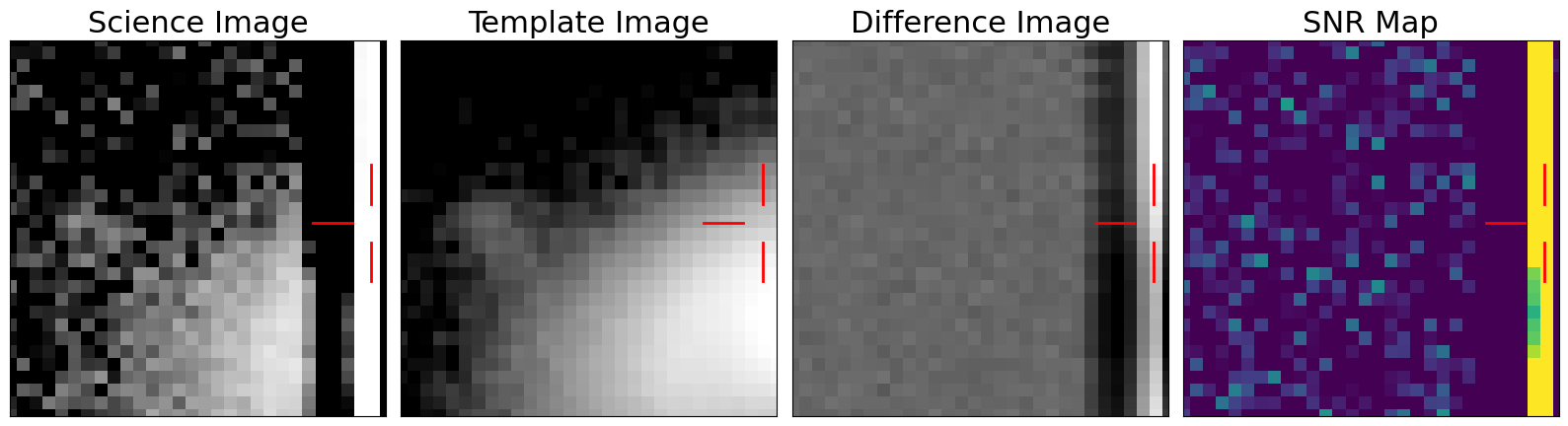
Sometimes artefacts can happen because the region of interest appeared to close to the edge of the detector:
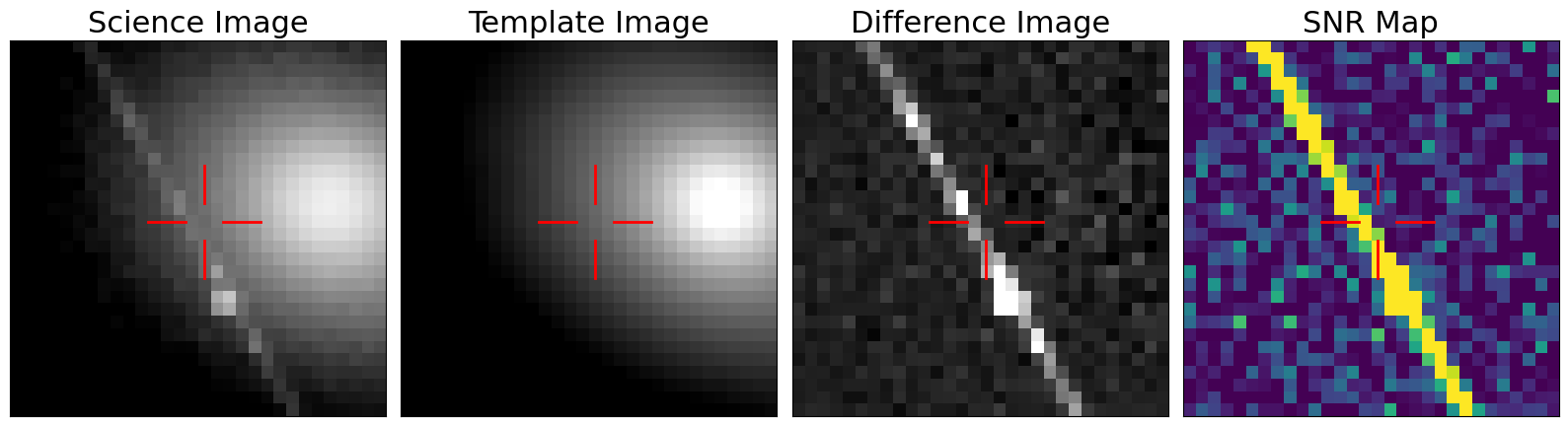
Or due to possible satellite trails:
# Classify the Alert

The Rubin Observatory regularly sends out "alerts" when they think they've found a new signal. Automated methods often struggle to differentiate between these real detections and artefacts. However, humans can often do this quickly and effectively. Thus, **your task is to disentangle these real signals from artefacts.**

You will be shown a panel with the science image, template image, difference image, and SNR map. You will then be asked whether you think this detection is real, or an artefact. The two most important panels to look at to determine whether the detection is real or an artefact are the difference image and the SNR map.

# Some Final Tips

Remember, yellow in the SNR map means a potential detection.

Focus on the region annotated with the red cross. This will usually be in the centre of the image, but not always.

It might not always be obvious what the correct answer is. Just take your best guess.

Focus on the SNR map to decide whether your target is real or an artefact. If the yellow region in the SNR map does not have a circular-ish shape and you also do not see anything in the difference image, then it is likely that it is an artefact.