Etch A Cell: Going Nuclear: current model tutorial
## Welcome to Etch a Cell! ##

----------

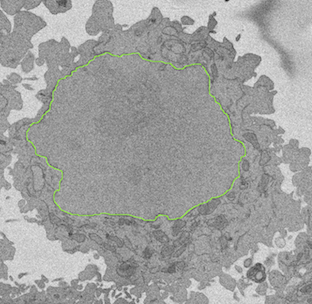
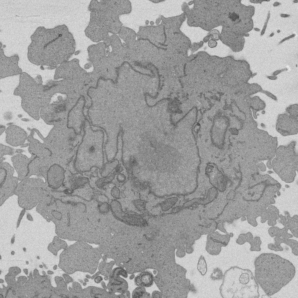
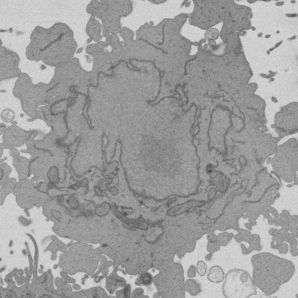
In this project, we ask you to look at **images of cells**, like this one, that were taken using an **electron microscope**.
## How can I help? ##
----------
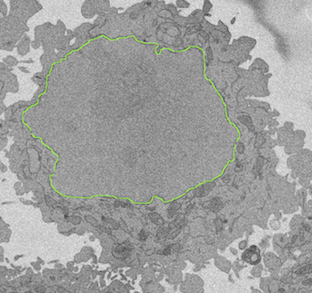
We need you to help us by **drawing around the nucleus of the cell**, as shown in the image above.

This is known as **segmentation**, and is a critical analysis step that helps us understand more about the shape and structure of important cell features.
## How do I identify the nucleus? ##
----------
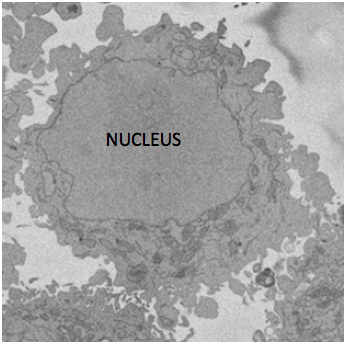
Each cell has only **one nucleus**. The nucleus is typically **centrally positioned** in the cell, has a **roughly circular shape** with a dark grey outline (this is the "nuclear envelope" - the membrane that surrounds the nucleus).

## Getting started ##
----------
Each subject contains five images showing slices through the same cell, ordered
by depth. Only draw on the central image: the third of the five subject images.
The other four images provide context.
## How do I draw? ##
----------
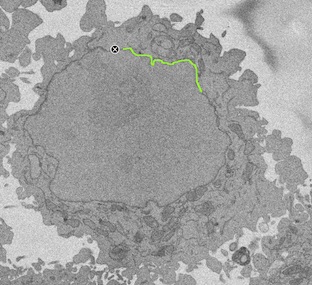
Carefully trace over the nuclear envelope that surrounds the nucleus - as shown above.
## Take your time! ##
----------
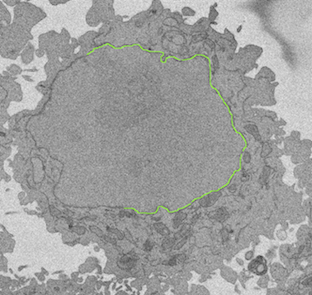
You can draw **multiple lines**, so take your time and **be as accurate as you can**!

Don't worry if your lines don't match up perfectly!
The following images are consecutive frames from a tutorial animation, in order.
This can happen when we are imaging the nucleus, as shown above.

## Your final segmentation may include more than one nuclear "blob"  ##
----------
Sometimes a two-dimensional slice through one three-dimensional nucleus can
look like several separate objects. The five subject images show the central
slice, two slices above it, and two below it.

Use these neighbouring slices to assess **whether a particular lump or bump is
actually connected to the nucleus**. If it is, **draw around its membrane on the
central (third) image too**. Return drawings for the central image only.
## Draw around the whole nucleus ##
----------
Once you've drawn around the whole nucleus you're done.
System and task instructions
System instruction
Task instruction
The five subject images show slices through the same cell, ordered by depth.
Annotate only the third image, the middle slice. Use the first, second, fourth,
and fifth images as context to help identify the nuclear boundary and whether
apparently separate parts belong to the nucleus.

Trace the nuclear envelope of the target cell in the center of the third image.
Return contours only for that image, using its 1000 × 1000 pixel coordinate
system. The other four images are context only; do not return contours for them.

Please draw around the nucleus of the cell

Return one or more ordered contours around the nucleus. Use image pixel coordinates with origin at the top-left, x from 0 to 1000, and y from 0 to 1000. Each contour will be treated as closed by connecting its last point back to its first point.